The Constant Node creates a constant value per row in your data pipeline.
This node is extremely handy when transforming data in your ETL processes.
The Constant Node is rather straight forward, two inputs and you’re done.
Using the Constant Node
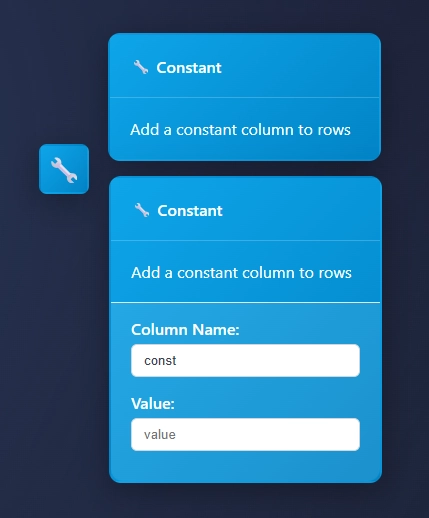
Add the Constant Node to your canvas, send data downstream to your node and open the settings.
edit the constant column name or keep it default “const”
add a value
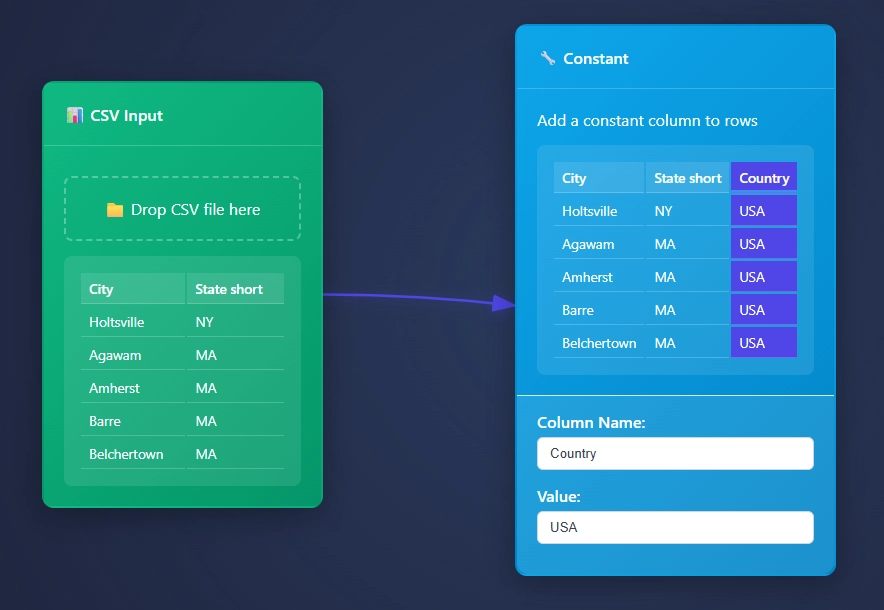
The Constant Node highlights the constant column so that you’re able to easily identify the additional column.
Using the Constant Node
Sending the City, State data from the CSV Input Node to the Constant Node and adding “USA” as the Value, and “Country” as the Column header.
Thanks for learning more about ET1’s Constant Node
We appreciate you using ET1’s Constant Node, and know if you have any questions… Please contact us.
We would love to hear about your solutions.
Return to ET1 Overview to learn more.